Notifications Setup
In order to set up notifications, either by e-mail or SMS, several steps need to be completed:
Adding Contact to the system
Enter “Manage” -> “Configure” -> “Contacts/Contact Groups”
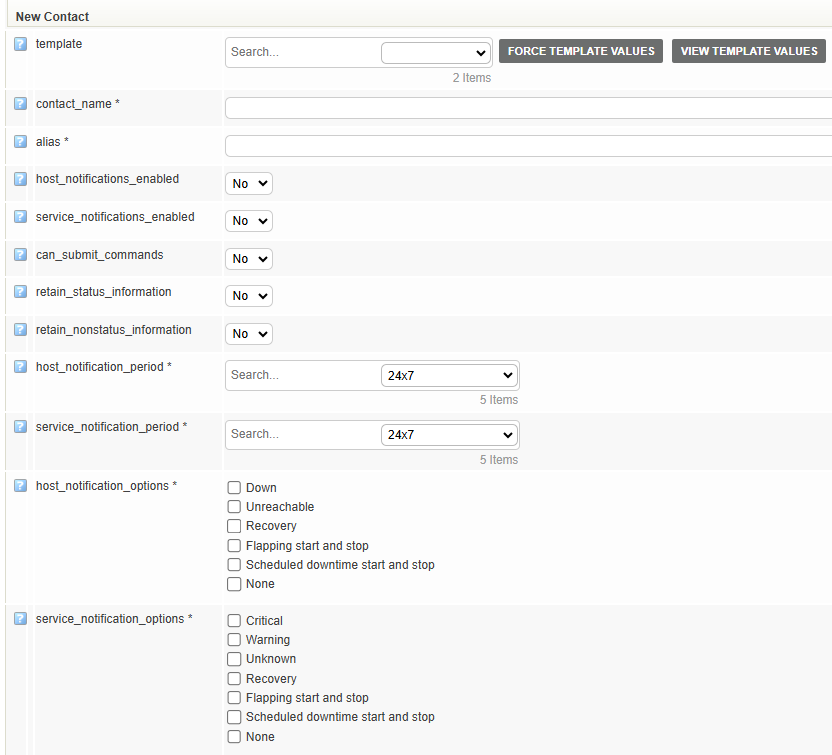
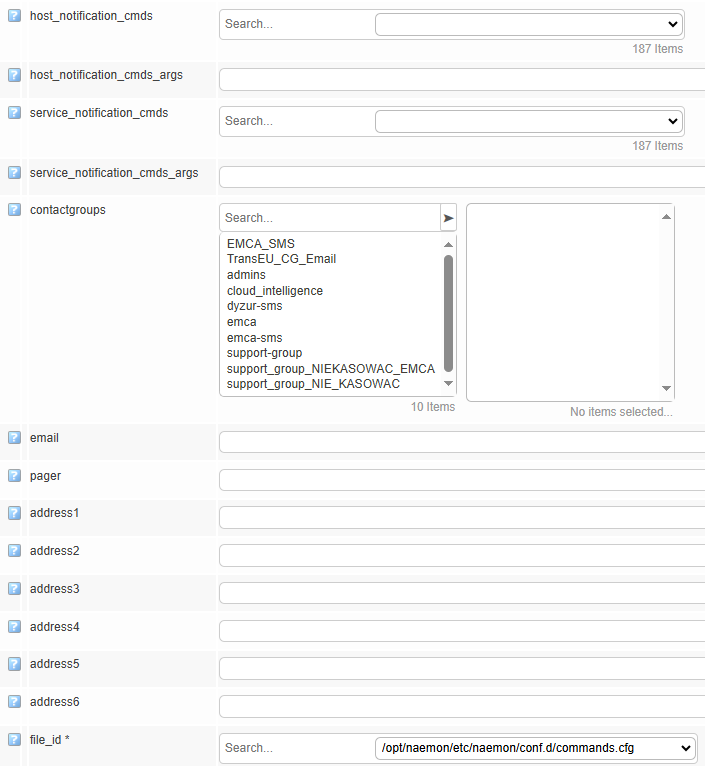
Fill the desired fields. Mandatory fieds have a “*” sign next to them. All fields contain a helper box explaining their use, labelled with “?” sign.
Optionally, you can set up a a password for your contact, therefore only someone who knows the password will be able to edit it.
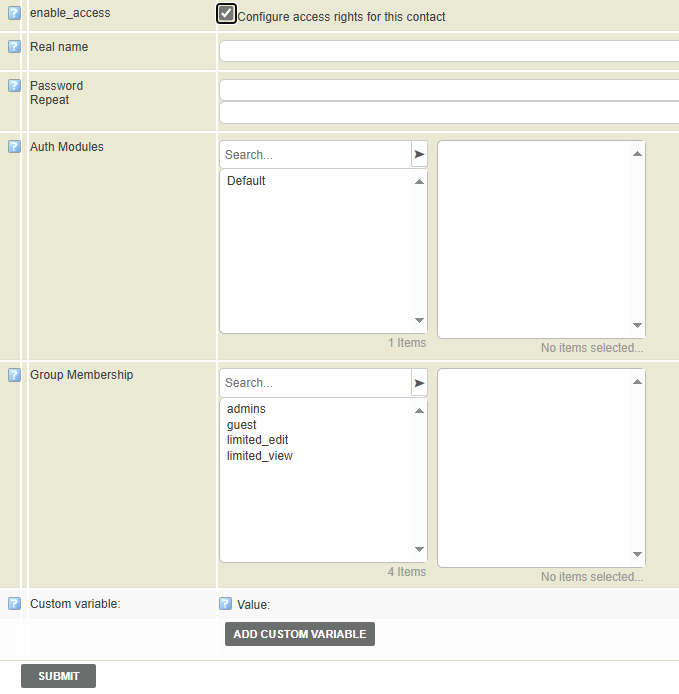
Save the changes to the database.
Note: If the user has no access to any Authorization Module, he will not be able to log into Energy Monitor.
Adding Contact Group to the system
Enter “Manage” -> “Configure” -> “Contacts/Contact Groups”
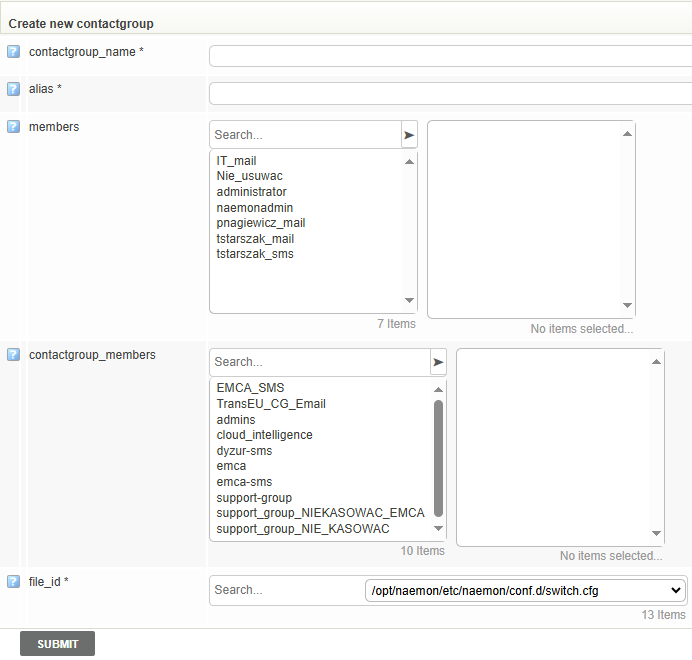
Fill the desired fields. Mandatory fieds have a “*” sign next to them. All fields contain a helper box explaining their use, labelled with “?” sign.
Save the changes to the database.
Configure Postfix
Once the notifications are set up in Energy Monitor, the mail server, Postfix needs to be configured.
Postfix has several files that need to be modified, for convenience, each will be explained with an example operation an administrator might have to do at some point.
Changing SMTP server for notifications
On the Mainframe server, where EnergyMonitor resides, in the following directory: /etc/postfix/main.cf, there will be a custom section, as shown on screen:
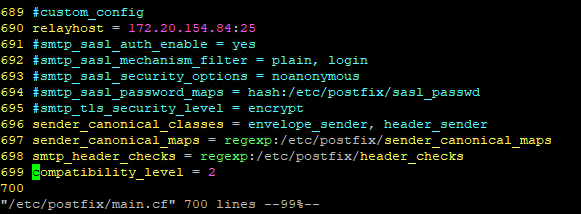
Usually just IP address and port are changed, under relayhost line, as main.cf is a file that determines to which server Postifx should forward traffic.
Afterwards, administrator must restart the Postfix daemon:
systemctl restart postfix
Note: Compatibility_level = 2, means that Postfix will not not log debug messages.
Changing e-mail address for the notifications
In the following directory: /etc/energy-monitor/notify there are 4 files:

However, only notify_by_host.sh and notify_by_service.sh are of interest to us:

ARG_EMAIL_FROM determines the e-mail address from which Energy Monitor will send notifications.
ARG_EMAIL_SUBJECT determines the e-mail title, which can be changed as preferred.
Afterwards, administrator must restart the Naemon daemon:
systemctl restart naemon
Changing e-mail address for Postfix
To set up Postfix, to use a particular e-mail address to as a sender, the following must be done:
in the directory: /etc/postfix there are 2 files:
header_checks
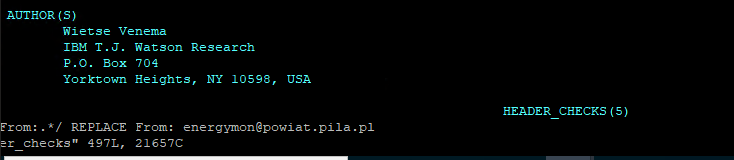
Replace the e-mail address to one of your preference.
sendercanonicalmaps.cf
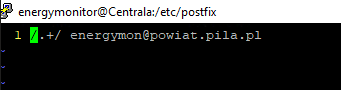
Replace the e-mail address to one of your preference.