Scheduler
Energy Monitor offers the capacity to periodically do various tasks automatically.
Note:
field ”Name” under ”Schedule” refers to the name of the task.
In task 2, “_name” is automatically added in the list, it’s the hosts’s ”hostname”, as configured in the host configuration menu.
Enter “Manage” -> “Scan Schedule”
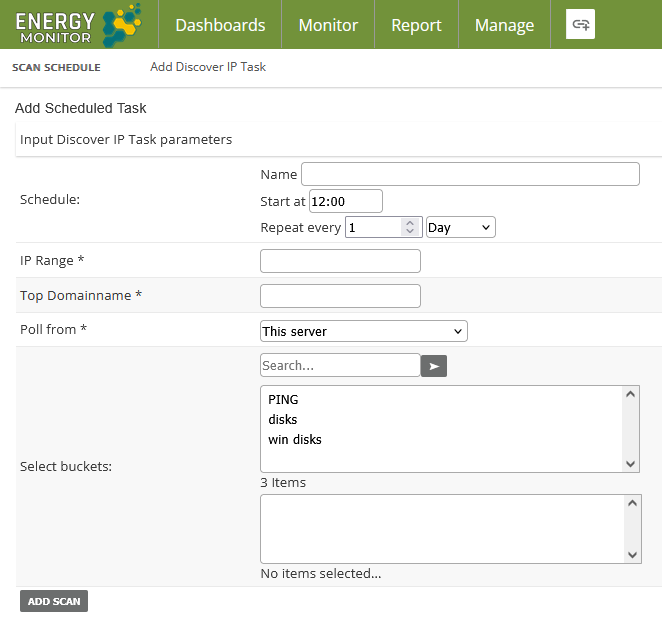
Scheduler offers 4 types of tasks:
1. Autodiscover IP address
Energy Monitor can be set up to periodically scan the network for changes. If it finds a new host, it can automatically be assigned a bucket, which is a set of metrics/services that can be instantly assigned to a host. You can also specify an IP range and a domain to be searched.
Note:
in regards to field “Top Domainname” please input only your domain name.
Normally, the scan will return the host like: test_host.emca.pl
By inputting domain name, ie: emca.pl, the host will be added without domain name in the ”hostname” field in the host configuration menu.
Energy Monitor doesn’t need the domain name in the ”hostname” field to function properly.
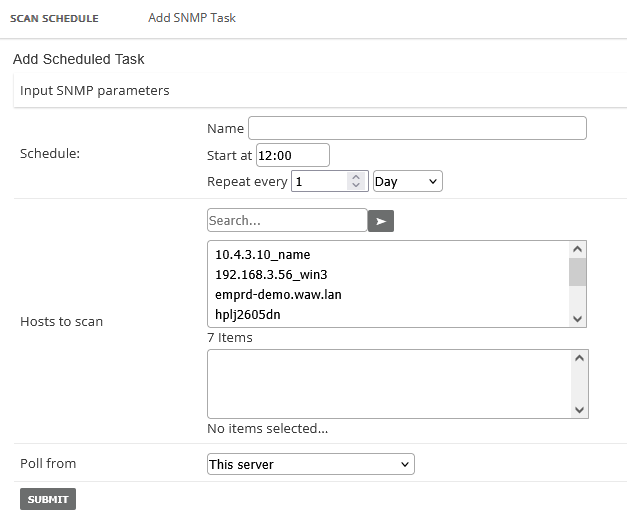
2. SNMP
Can be used to update network interface names on networking devices, routers, switches and the like.
Task reads from the original device, ie. a router, the label of the interface, then checks if that interface in Energy Monitor is labeled.
If not, label will be added. If a label does exist but differs from the original one, it will be changed.
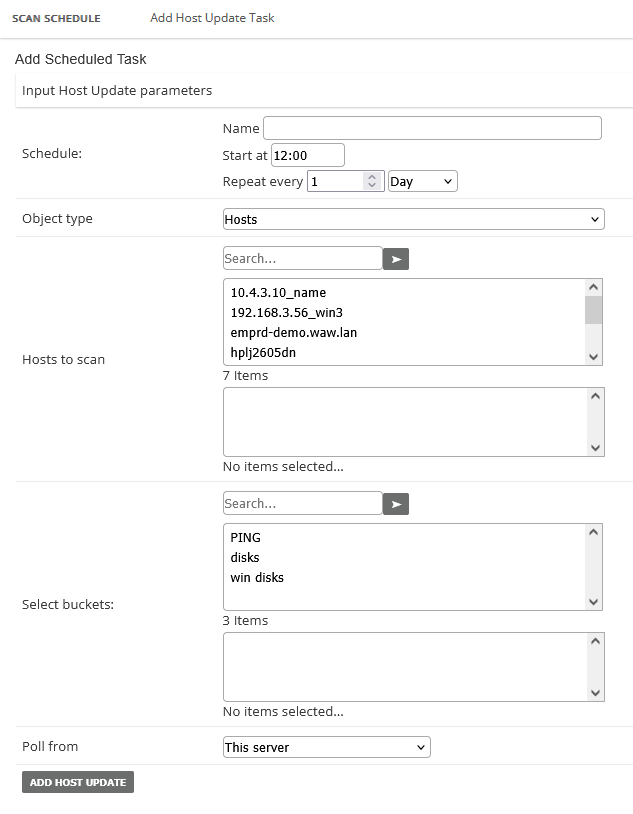
3. Host Update
This task updates host’s services by buckets. A bucket is essentially a group of services/metrics bundled together that can be preconfigured and added in bulk to hosts.
You can speficy a bucket and a host range and all hosts in this range, will be assigned metrics/services from that bucket.
Shall a bucket be modified, the next occurence of this task will update the host with the new changes, as well.
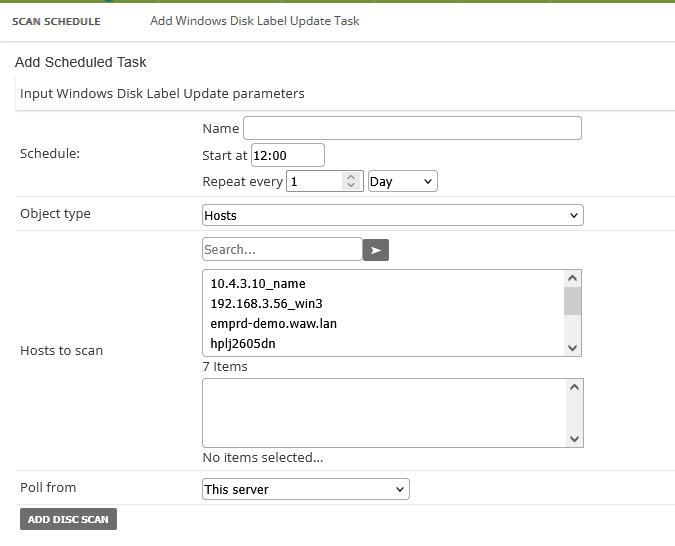
4. Windows Disk Label Update:
This task is very similar in nature to #2. It populates disk labels on Windows hosts by renaming them.
Like #2, it reads from the source, the original host. So if a disk label will change there, that disk label in Energy Monitor wil also change.
If a label is missing all together, it will be created. If it exists, it will be changed.