Authentication modules
Note: All instructions below assume you are running OracleLinux8.X.
Setting up an Authentication Module
Enter “Manage” -> “Configure” -> “Authentication Modules”
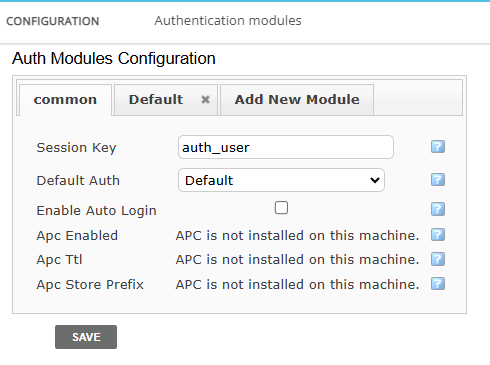
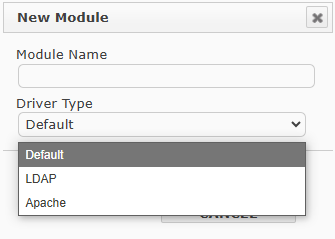
Authentication can utilize following drivers:
Default (local user files)
LDAP
Apache
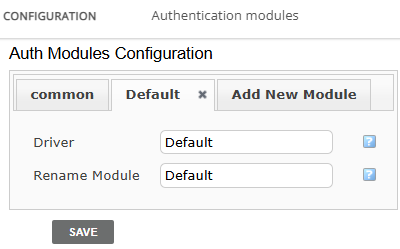
Default
Default authorization uses local user files, without any external software to verify the credentials. Essentially in this method, all users made in Energy Monitor GUI, are perfectly capable of logging in by themselves as long as credentials match the database entry.
Apache
Setting up the module to utilize Apache only:
.htpasswd, this file must be present in /etc/naemon/ htpasswd
Simplest way to add it is via shell:
htpasswd -c /etc/naemon/htpasswd username
replace username with a first desired user.
any consequent users are added with:
htpasswd /etc/naemon/htpasswd anotheruser
In your apache configuration file: /etc/httpd/conf.d
<Location /naemon>

 AuthType Basic

AuthName "Naemon Monitoring"

AuthUserFile /etc/naemon/htpasswd

Require valid-user

\</Location>
Restart Apache service:
systemctl restart httpd
LDAP
LDAP authorizes via Apache server, it checks against LDAP directory using mod_authnz_ldap. This allows for a centralized approach, centralized user management.
Setting up the module to utilize Apache only:
Install Apache and LDAP modules
dnf install httpd mod_ldap mod_ssl
Enable the required modules:
systemctl enable --now httpdsystemctl start httpd
Note: in OracleLinux 8.X these modules are usually already included with httpd server.
3. Configure Apache for LDAP authentication:
- Example of /etc/httpd/conf.d/naemon.conf
<Location /naemon>

AuthType Basic

AuthName "Naemon Monitoring"

AuthBasicProvider ldap

AuthLDAPURL "ldap://ldap.example.com/dc=example,dc=com?uid?sub"

Require valid-user

\</Location>
Note: Replace ldap:// with your server IP or hostname and Distinguished Name.
LDAPS, if you support SSL, can be used as well: ldaps:// and port 636.
Ensure the vailidty of certificates
4. Restart Apache service:
systemctl restart httpd
Combining both at once
The administrator can set the Apache to use both providers at the same time:
In your apache configuration file: /etc/httpd/conf.d
<Location /naemon>
AuthType Basic
AuthName “Naemon Monitoring”
AuthBasicProvider file ldap
AuthUserFile /etc/naemon/htpasswd
AuthLDAPURL “ldap://ldap.example.com/dc=example,dc=com?uid?sub”
Require valid-user
</Location>
Note: AuthBasicProbvider is set to file and ldap.
2. Restart Apache service:
systemctl restart httpd
4. Optional, System-Level LDAP, to use with SSH or console, on OracleLinux8.X:
Install SSSD and LDAP tools:
dnf install sssd authselect
Configure authselect:
authselect select sssd with-ldap --force
Edit /etc/ssd/ssd.conf to point to your LDAP server
Configure /etc/nsswitch.conf to include ldap or sss for passwd and group:
passwd: files sssgroup: files sss
Restart services:
systemctl restart sssd
Note: AuthBasicProbvider is set to file and ldap.
2. Restart Apache service:
systemctl restart httpd
Optional Improvements
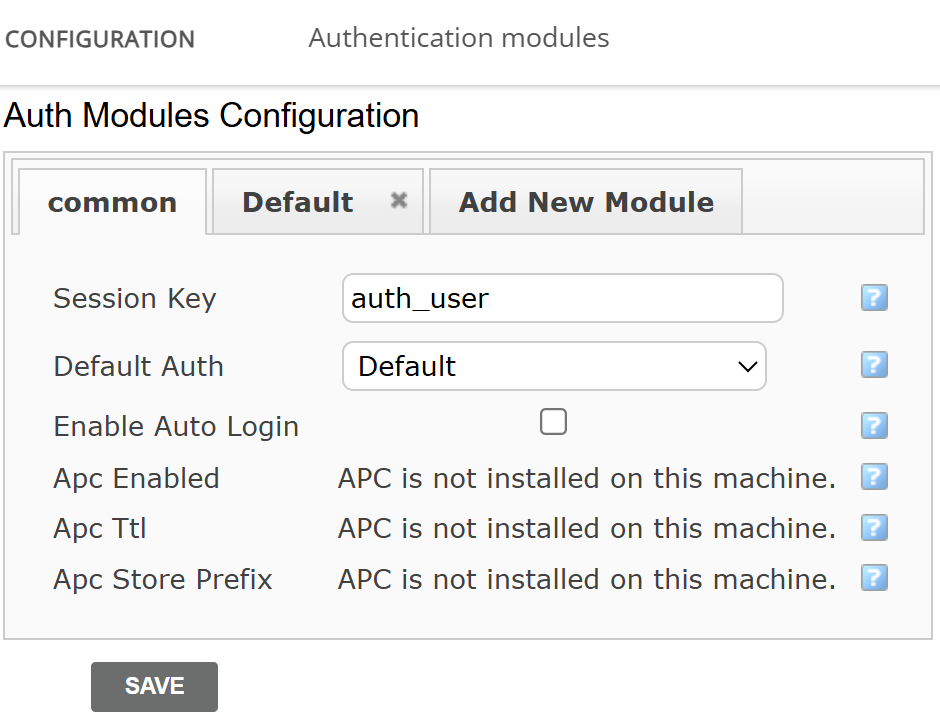
In case of performance problems, the administrator can install PHP extensions to help mitigate this issue:
APC (Alternative PHP Cache)
This extension caches compiled PHP scripts, so they don’t have to be recompiled on every request. It also stores application data in memory, reducing the need for repeated queries to the database.
Key settings:
apc_ttl
“Time to live”, determines how long the data is stored in the cache.
apc_store_prefix:
Defines a prefix for cached keys, preventing naming collisions between applications and modules.